


1. What Are Hreflang Tags and How Do They Work?
Understanding Hreflang Tags’ Meaning in Simple Terms
To understand the meaning of hreflang tags, think of them as clear road signs for search engine crawlers like Google.
When you have multiple versions of the same web page for different languages or regions, search engines need help sorting them out. An hreflang tag is a small HTML attribute placed in the <head> section of your webpage. It tells Google: “Hey, this specific page is meant for English speakers in America, while that other page is built for English speakers in Britain.”
Without these road signs, search engines have to guess which page to show, which often leads to mistakes and lost web traffic.
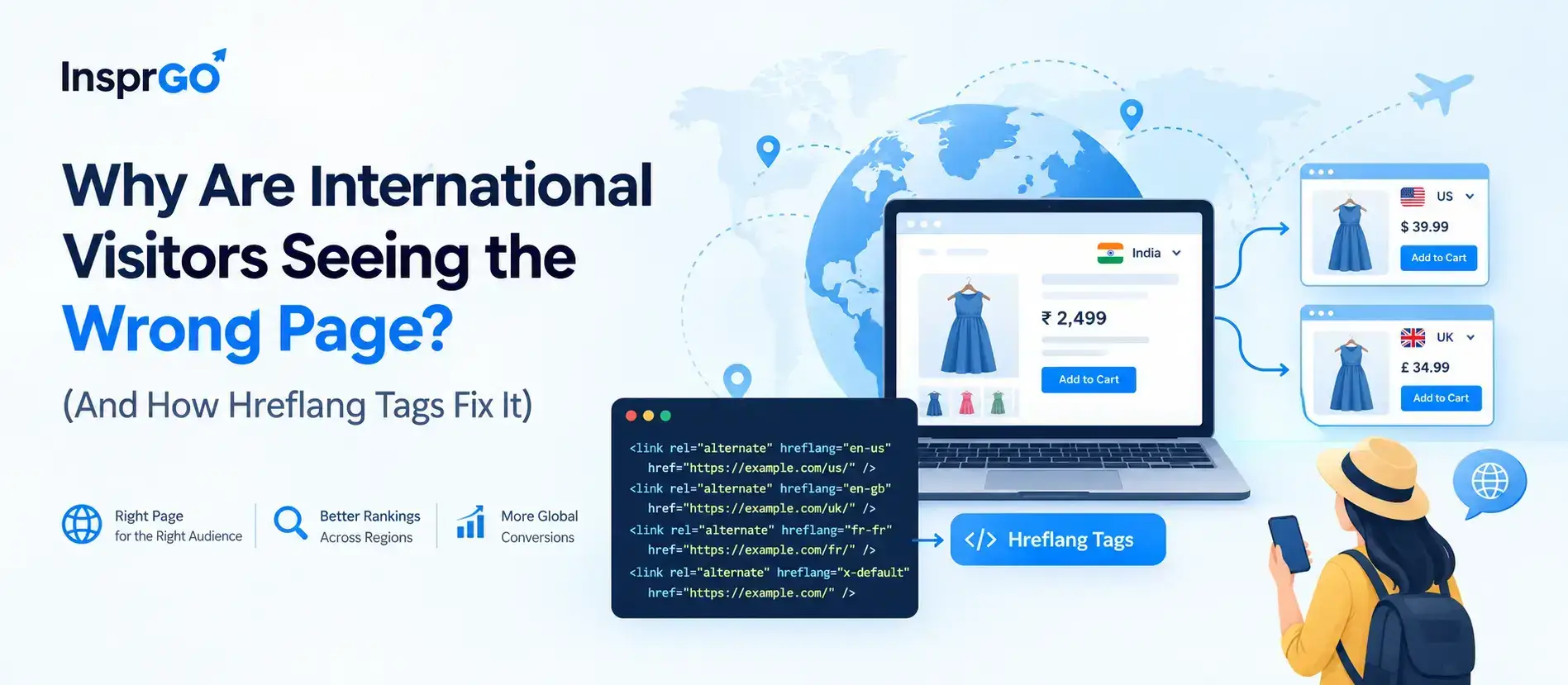
Hreflang Tag Example for Global Websites (en-us & en-gb)
Here is a practical hreflang tag example showing how a global website links its regional versions together inside the code:
HTML
<link rel=”alternate” hreflang=”en-us” href=”https://example.com/us/” />
<link rel=”alternate” hreflang=”en-gb” href=”https://example.com/uk/” />
<link rel=”alternate” hreflang=”fr-fr” href=”https://example.com/fr/” />
<link rel=”alternate” hreflang=”x-default” href=”https://example.com/” />
In this setup:
- en-us points English speakers in the United States to the US page.
- en-gb points English speakers in the United Kingdom to the UK page.
- fr-fr points French speakers in France to the French page.
- x-default acts as a safety net for visitors from any other country (like Australia or Canada) where a specific match does not exist.
Why Is Google Penalty & Duplicate Content Worrying Multilingual Websites?
The Hidden Purpose of Hreflang Tags in SEO
If you ask any technical strategist, what is the purpose of hreflang tags in SEO? The answer goes beyond simple translation.
Global websites often feature pages with almost identical content, such as product pages for the US, UK, and Australia that only differ in currency, contact numbers, or minor spelling (e.g., color vs. colour).
Without proper tagging, search engines may treat these similar pages as copy-pasted content. Hreflang tags clarify that these pages are intentional, region-specific variations tailored to local audiences rather than spammy duplicates.
How Hreflang Stops Duplicate Content Penalties Across Regions
When search engines spot identical content across multiple URLs without clear signals, they may index only one version and ignore the rest, or lower the site’s overall search rank.
Hreflang tags protect your international website by:
- Preserving SEO Value: Signals show search engines that each URL serves a unique, targeted group of users.
- Lowering Bounce Rates: Users stay longer on pages that show their local currency, phone numbers, and language.
- Improving Search Visibility: Each localized page gains the opportunity to rank in its specific regional search engine (e.g., Google US vs. Google UK).
What Are the Best Practices for Implementing Hreflang Tags Step-by-Step?
Step-by-Step Hreflang Implementation for Modern Websites
Proper hreflang implementation requires precision. You can add these tags through your website’s HTML <head> section, HTTP headers (for PDFs), or directly inside your XML Sitemap.
If you use WordPress content management systems, plugins like Rank Math or Yoast SEO can generate these tags automatically.
[User Action] ──> Select Target Countries ──> Generate ISO Language/Region Codes ──> Insert Hreflang Code / Sitemap ──> Audit in Google Search Console
Follow these key steps during setup:
- Identify all regional and language versions of your web pages.
- Pair every language code with its correct region code.
- Add reciprocal (return) links on every alternate page.
- Set an x-default fallback tag for unmatched locations.
Key Guidelines for Multilingual Website SEO Strategy
When evaluating what are the best practices for SEO for multilingual websites, keep these foundational guidelines in mind:
- Use Standard ISO Codes: Always use proper ISO 639-1 codes for languages (e.g., en, es, fr) and ISO 3166-1 Alpha 2 codes for countries (e.g., us, gb, es). Note: Language always comes first, followed by the country.
- Maintain Reciprocal Linking: Every page must link back to all other alternate versions, including itself. If Page A links to Page B, Page B must link back to Page A.
- Target Cultural Intent: Spanish-speaking users in Mexico (es-mx) search differently than Spanish speakers in Spain (es-es). Customize localized content beyond literal translation.
Common Hreflang Mistakes That Hurt Your Global Rankings
Critical Issues with Incorrect Hreflang Links and How to Avoid Them
Small errors in code can cause search engines to ignore your tags entirely. Here are the most common issues with incorrect hreflang links:
|
Common Hreflang Error |
What Happens | How to Fix It |
|
Missing Reciprocal Links |
Google ignores tags if Page A links to Page B, but Page B does not link back to Page A. |
Ensure every localized page points back to all alternate versions. |
|
Invalid ISO Codes |
Using en-uk instead of en-gb causes Google to drop the tag completely. |
Use standard ISO codes (gb for the United Kingdom, not uk). |
| Omitting x-default |
Unmatched global visitors may land on an incorrect or broken page version. |
Always include an x-default tag pointing to your primary global page. |
| Linking to Broken URLs | Tags that point to 404 pages or redirects waste crawl budget. |
Ensure all URLs in your hreflang tags return status 200 OK. |
Pro Tip: Use the International Targeting Report inside Google Search Console or technical auditing tools (like Screaming Frog) to detect and fix missing return tags or invalid codes before they impact search traffic.
Need Expert Help Scaling Your Global Search Traffic?
Work with Insprago to Solve Complex Technical SEO & International Ranking Issues
Setting up hreflang tags and managing multi-region websites can become complicated very quickly—especially for sites with hundreds of localized pages.
Insprago helps businesses execute technical SEO, eliminate duplicate content errors, and build global search strategies that drive actual growth.
01
LET'S GROW TOGETHER